# Environmental Control
AsTeRICS has many plugins for environmental control like KNX, EnOcean, IrTrans, Phillips Hue or OpenHAB. Check the Plugins page and filter by Home Control.
On this page you will find some tutorials of how to use such plugins to control your environment and how to create and accessible user interface for it.
# OpenHAB
OpenHAB is an Open Source Home Automation SW that let’s you control light, heating and other appliances of your Smart Home. Such appliances or devices are called things which are represented as items in a user interface. OpenHAB provides several user interfaces and means of voice control.
Accessible User Interface
This tutorial explains how to control an OpenHAB instance and it’s configured items by an AsTeRICS model and how to create an accessible user interface for it using AsTeRICS Grid.
TIP
This tutorial is based on OpenHAB v3.x but should also work with OpenHAB v2.x
- Read the OpenHAB concept page (opens new window)
- Install OpenHAB (opens new window)
- Download the openhab2 demo configuration zip file (opens new window).
- Restore the demo configuration using openhab-cli (Linux) by entering
sudo openhab-cli restore demo-conf-openhab2.zipin the command line. On other systems extract the .zip file and copy theconf/itemsand theconf/sitemapsfolder to your OpenHAB config folder. - Start OpenHAB
- Download OpenHAB model (opens new window) or Open OpenHAB model in WebACS (opens new window)
- Start the ARE (
ARE.exeorstart.batorstart.sh) - Open model in ARE or Upload model from ACS
- Start model in ARE
- Open the OpenHAB Basic UI of the Kitchen (opens new window)
- In the ARE GUI: Click on
Item Light_GF_Kitchen_Ceiling ONorItem Light_GF_Kitchen_Ceiling OFF. You should see the switching of the item in the basic UI accordingly.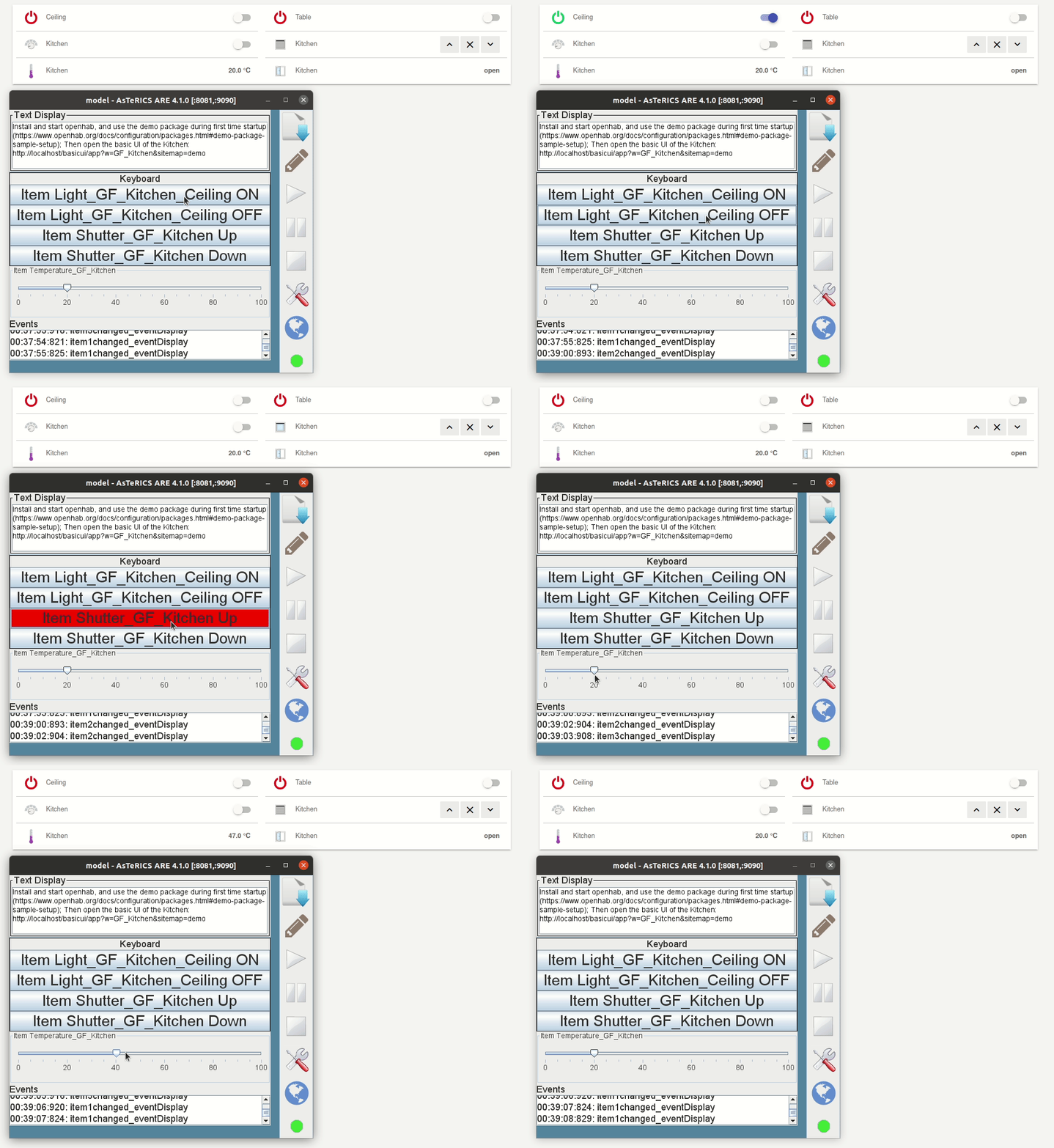
- Change a value in the basic UI, you should get an event in the event visualizer of the ARE GUI.
# Accessible UI
You can use AsTeRICS Grid to create an accessible UI for controlling your Smart Home using OpenHAB.
- Open AsTeRICS Grid (opens new window)
- See AsTeRICS Action: To know how to execute an action of an AsTeRICS model in a running ARE instance.
- Click
Download from ARE - In
Component, selectopenHAB.1_c - In
Send data- Select
actionString - Set item name and state value, e.g.
@OPENHAB:Light_GF_Kitchen_Ceiling,ONorLight_GF_Kitchen_Ceiling,ON(See plugin documentation)
- Select
- Test action by clicking on
Test Action - Click
OKto save the action.